
Menu Price Calculator
Use this menu price calculator to turn a dish's cost and your target food cost percentage into a menu price. Add each dish, pick a target or a markup, and choose how to round. It's free, needs no signup and runs in your browser.
Calculator
Avg food cost —Dishes —All results ↓Real dish costs, no typing
Know every dish cost before you set prices
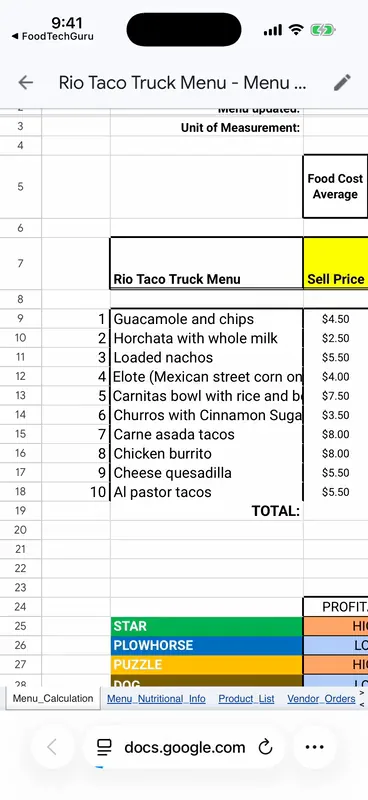
A price is only as good as the cost behind it. Snap a photo of a recipe, paste a link or dictate it, and FoodTechGuru builds the cost card with ingredient prices for your country. With a Pro or Guru plan it also puts the whole menu in a Google Sheet with food cost %, profit per dish and a Star, Plowhorse, Puzzle or Dog grade.
- New accounts get 15 free credits; one recipe uses one credit
- Prep and cooking loss on every cost card
- iPhone today, Android coming

How to price menu items
- Cost the dish from its recipe: every ingredient, at what you pay for it.
- Pick a target food cost %, the share of the price you are willing to spend on ingredients.
- Divide: menu price = food cost ÷ target %. $2.63 ÷ 0.30 = $8.77.
- Round up to a price that reads well, such as $8.99, so you stay at or under the target.
- Check the profit per plate after packaging, and compare with what you charge today.
Prefer markup? Multiply the cost instead: a 3.5× markup on $2.63 is $9.21, a 28.6% food cost.
What food cost % to aim for
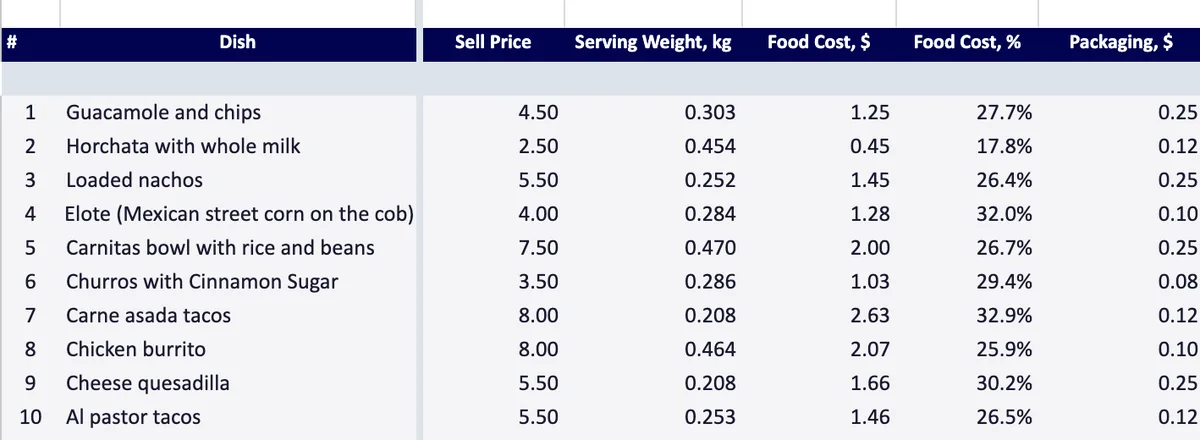
Many operators aim for roughly 28–35%; the FoodTechGuru business plan sheet uses 30% as its default target. One menu rarely sits at a single number. Drinks and sides usually cost less than plates built around meat. In the example taco truck:
| Dish | Food cost | Price | Food cost % |
|---|---|---|---|
| Horchata | $0.45 | $2.50 | 17.8% |
| Al pastor tacos | $1.46 | $5.50 | 26.5% |
| Carne asada tacos | $2.63 | $8.00 | 32.9% |
The whole menu blends to 28.5%. Price each dish on its own, then watch the blended number.
Menu price calculator FAQ
How do I calculate a menu price from food cost?
Divide the dish's food cost by your target food cost percentage. A dish that costs $2.63 to make, at a 30% target, prices at $2.63 ÷ 0.30 = $8.77. Then round up to a price that reads well on the menu.
Is markup the same as food cost percentage?
They are two views of the same number. A 30% food cost equals a markup of about 3.33× on cost, and a 3× markup equals a 33.3% food cost.
Why does the calculator round up and not to the nearest price?
Rounding down would push the dish above your target food cost. Rounding up keeps every dish at or below the target.
Should packaging be part of food cost?
No. Packaging is a separate cost: it lowers the profit per plate but is left out of food cost %, the same way the FoodTechGuru menu sheet treats it.
Where do I get the food cost per dish?
From a recipe cost card. Use the free recipe cost calculator, or snap a photo of the recipe in the FoodTechGuru iPhone app and it builds the cost card for you.
Price from real costs, not guesses
Photograph the recipe, get the cost card and the Google Sheet.
Download free on iOS