Recipe to cost card. Instantly

FoodTechGuru is a recipe costing app that turns any text, photo, voice note or recipe link into a state-of-the-art food cost card, with a Google Sheet of it, cost per serving and margin.

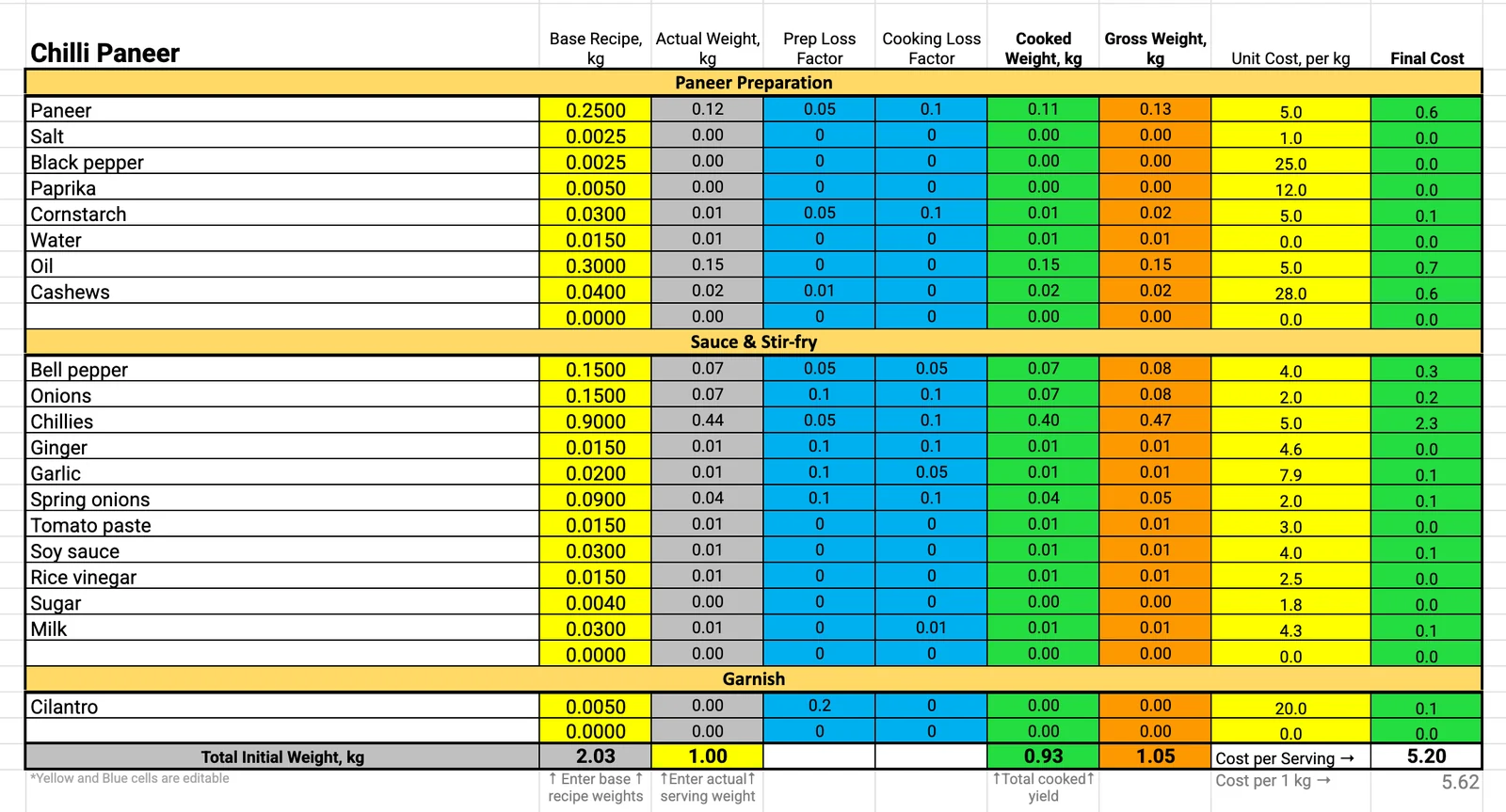
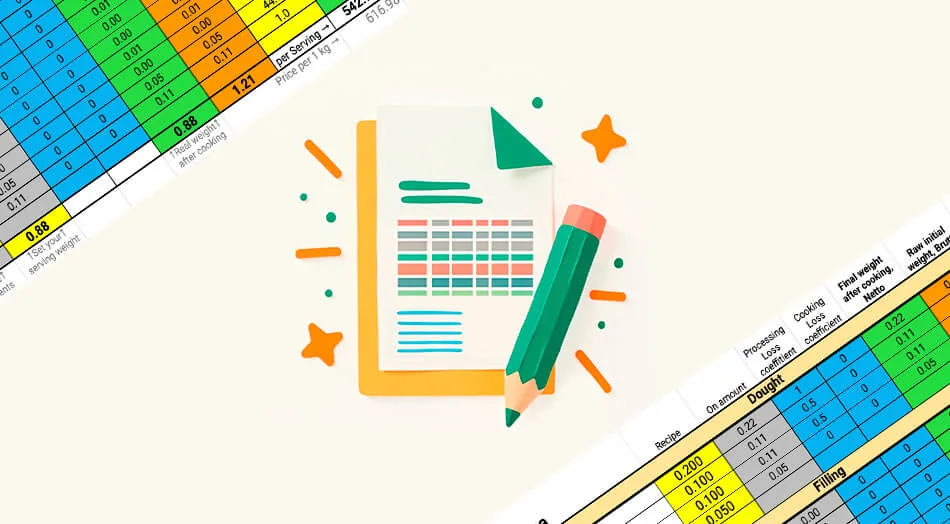
Recipe cost card in Google Sheets for chilli paneer: base recipe weights, prep and cooking loss factors, cooked weight, unit cost per kg and cost per serving
Open a real cost card sheet
FoodTechGuru app welcome screen: Smart AI does the work, auto-calculates weights, losses and steps

Tired of manual recipe calculations?

Created by food technologists

We know how infuriatingly much time you spend on the Excel cost card routine every day. But those days are nearly over.

Powered by AI

FoodTechGuru uses AI to automate calculation card creation, saving you time and eliminating errors.

Unlock efficiency and accuracy

Access every cost card right from the app. Edit an existing card in just a few taps. Know the cost of every grain of salt. Your entire operation’s knowledge, organized and instantly accessible.

10 recipes → 10 cost cards in 60 seconds

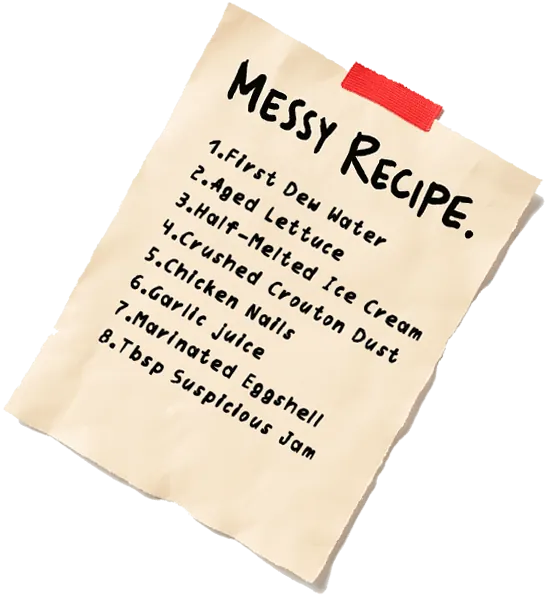
Type it, snap it, say it or paste a link. FoodTechGuru turns messy recipes into ready-to-use cost cards, up to 10 in one request.

App StoreGoogle Play

Built for chefs who care!

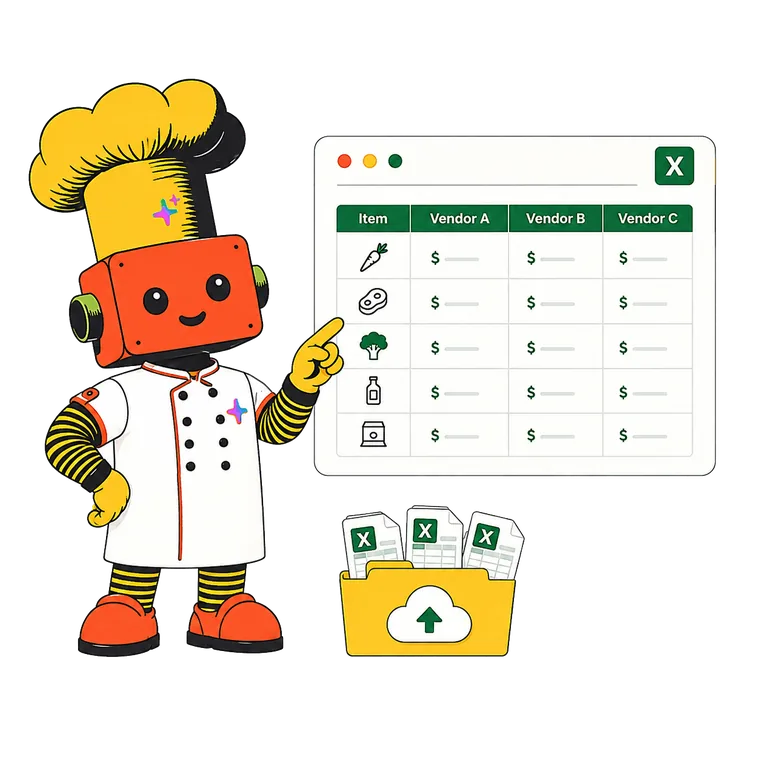
Upload and compare your suppliers’ Excel price lists

A service that usually looks like a massive, complicated dashboard, we keep simple and put right in your pocket. Every line of your supplier’s CSV or Excel list is matched to your ingredients, and new cost cards are priced from it.

Build a restaurant business plan from your menu

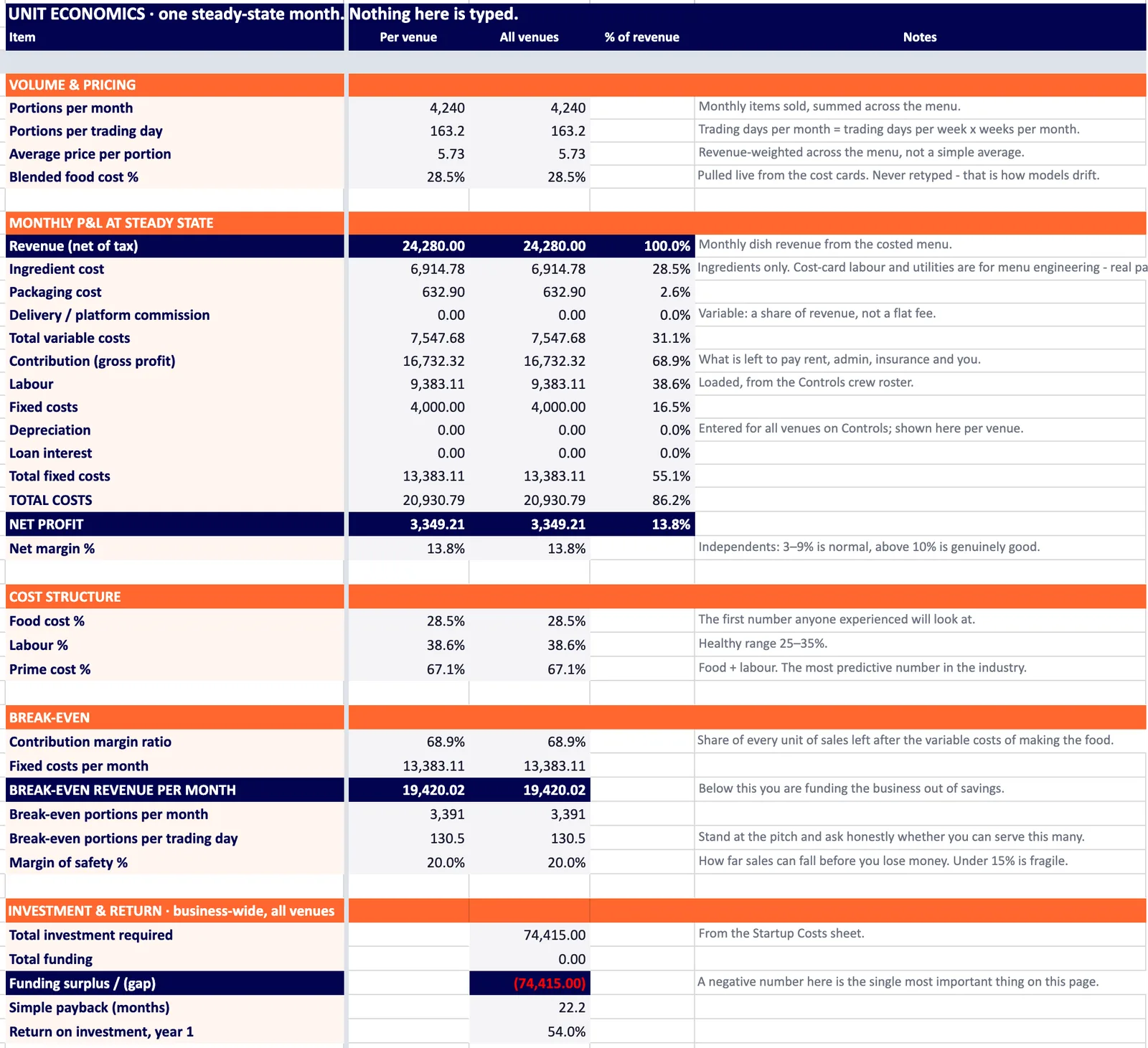
Pick a format, add your dishes, crew, monthly costs and equipment. FoodTechGuru builds a Google Sheet with live formulas: P&L, break-even, payback, a 12-month cash flow, menu engineering and startup costs.

  • 6formats
  • 12dishes per plan
  • 12months of cash flow
  • Freeto regenerate
Unit economics tab of a food truck business plan in Google Sheets: revenue, food cost, labour, fixed costs, net profit and break-even

The web app for chefs, food technologists and owners

Your recipes, cost cards, supplier prices, menus and business plans on a big screen. Same account and plan as the phone app, in any browser.

  • Recipescost cards and Sheets
  • Suppliersprice lists, comparison, orders
  • Menusmenu engineering
  • Plansrestaurant business plans
FoodTechGuru web app dashboard with recipes, food cost, suppliers and menus for a Mexican food truck

Cost cards from a photo, voice note or link

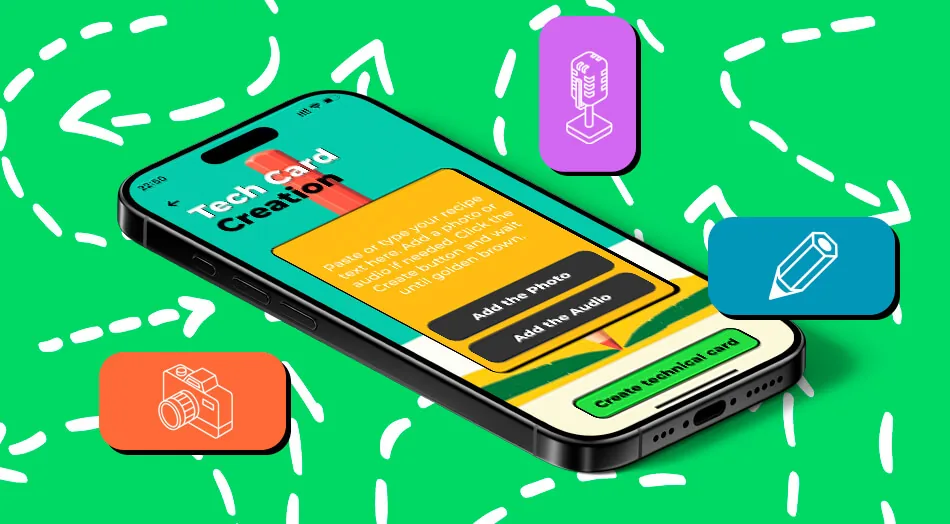
Forget typing. Snap a photo of a recipe, dictate it on the go, paste an Instagram, TikTok or YouTube link, or just type it. Up to 10 recipes in one request, each one turned into a structured cost card.

App StoreGoogle Play
Cost card creation screen with photo, audio, link and text recipe inputs

A cost card that counts every loss

Prep and cooking losses turn net weight into gross weight, so the cost per serving is the real one. Add labour, utilities and packaging, type your selling price and see profit and margin. Every card comes as a Google Sheet, with nutrition from USDA FoodData Central.

Generate a cost cardApp StoreGoogle Play
Food cost card spreadsheet with loss coefficients, cooked weight and cost per serving

Supplier prices in, orders out

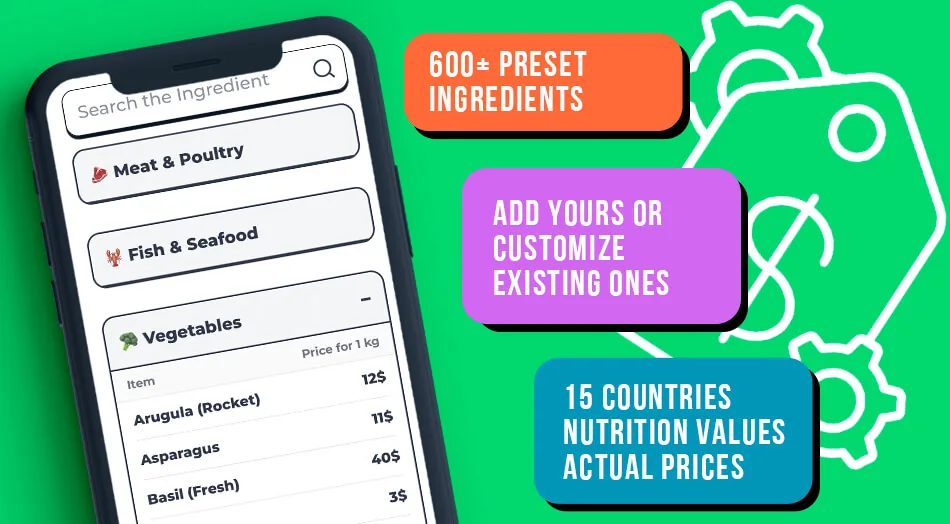
Start with a built-in ingredient price base for 16 countries in 13 currencies. Upload your suppliers’ price lists and AI matches every line to your ingredients. From a menu, the app drafts one order per supplier, ready to export as CSV.

Supplier price tools
Ingredient list in the app grouped by meat and poultry, fish and seafood and vegetables, with price per kg

An AI co-pilot, always in your pocket

Step-by-step cooking instructions for a recipe or a whole menu, adapted to the equipment you have, with timers. The app speaks 13 languages and works in metric or imperial units.

App StoreGoogle Play
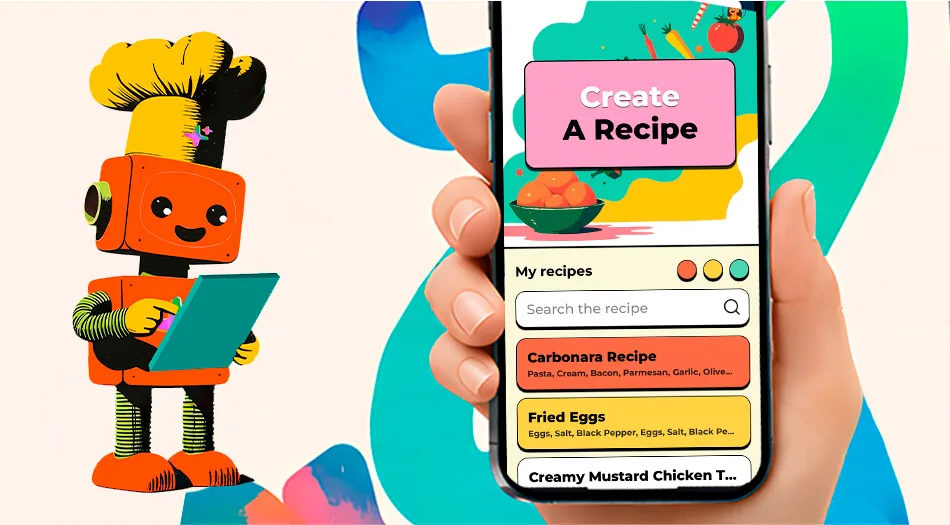
Hand holding an iPhone with the Create a Recipe screen and the FoodTechGuru robot chef

Chefs, managers and owners can forget about highly responsible , time-consuming and just exhausting cost card routines

Easy as 1-2-3

FoodTechGuru gives you back your most valuable resource: time. Free your team from the endless cycle of manual data entry and spreadsheet errors. Focus on what truly matters, innovation, quality and creating amazing food, while we handle the numbers.

App StoreGoogle Play
  1. 1

    Capture the recipe

    Type the text, snap a photo of your recipe, paste a link or simply record your voice. Give us the raw data in any form.

  2. 2

    Generate a Google Sheet cost card

    Our AI analyzes your input and identifies ingredients, quantities, units and instructions. Quickly review the digitized recipe and make any final tweaks.

  3. 3

    Use or share

    Get a ready-to-use calculation card as an interactive Google Sheet, ready for costing, scaling and sharing with your team.

  4. Repeat!

    Trust us with your food cost calculations. Up to 10 recipes per request on the Guru plan.

Save hours on recipe cost calculation routines

Start free: 15 credits when you sign up. 1 recipe cost card = 1 credit.

Monthly 6 months Save up to 33%

Enthusiast

For home cooks and recipe developers

$6.99/ month

Billed monthly

  • 50 credits a month
  • 1 recipe per request
  • Menus up to 5 dishes + menu engineering sheet
  • Cost card + Google Sheet with nutrition
  • Ingredient price base, 16 countries

Professional

For one kitchen and its menu

$23.99/ month

Billed monthly

  • 500 credits a month
  • 5 recipes per request
  • Menus up to 10 dishes + menu engineering sheet
  • Restaurant business plan generator
  • Supplier price lists from 2 suppliers
  • Order drafts split by supplier

Guru

For owners who buy from several suppliers

$34.99/ month

Billed monthly

  • 1,500 credits a month
  • 10 recipes per request
  • Menus up to 20 dishes
  • Restaurant business plan generator
  • Supplier price lists from 4 suppliers
  • Supplier price comparison

Monthly plan: a free week for new subscribers.

Prices in US dollars. Checkout and the App Store show your local price, tax included. A business plan uses 50 credits and needs a paid Professional or Guru plan. The Guru free trial covers everything else.

Recipe costing app FAQ

What is FoodTechGuru?

FoodTechGuru is a recipe costing app for iPhone and Android. Send a recipe as text, a photo, a voice note or a recipe link, and it builds a cost card with losses, cost per serving and margin, plus a Google Sheet of the same card. It also costs whole menus, reads your suppliers’ price lists and builds restaurant business plans.

Is the recipe costing app free?

The app is a free download and new accounts get 15 credits. One recipe cost card uses 1 credit. Paid plans add monthly credits, several recipes at once, menus, supplier price lists and business plans.

What recipe formats can it read?

Typed text, a photo from the camera or gallery, a voice recording or audio file, and recipe links from Instagram, TikTok, YouTube or any recipe web page.

What does the cost card calculate?

Gross weight from net weight using prep and cooking losses, cost per serving with a servings counter, optional labour, utilities and packaging, and revenue, profit and margin for the selling price you enter. Nutrition comes from USDA FoodData Central.

Can I use my suppliers’ prices?

Yes. Upload a supplier’s CSV or Excel price list (up to 5 MB) and the AI matches each line to your ingredients for you to review. New cost cards are then priced from it. Professional holds 2 suppliers and Guru holds 4. Without a price list, the app uses its built-in ingredient price base for 16 countries in 13 currencies, and you can edit any price.

Can it compare prices between suppliers?

On the Guru plan, with 2 or more suppliers uploaded, the app compares prices per ingredient and can cost your recipes at the cheapest, the most expensive, the average or a mixed price. How supplier price comparison works.

Can it cost a whole menu?

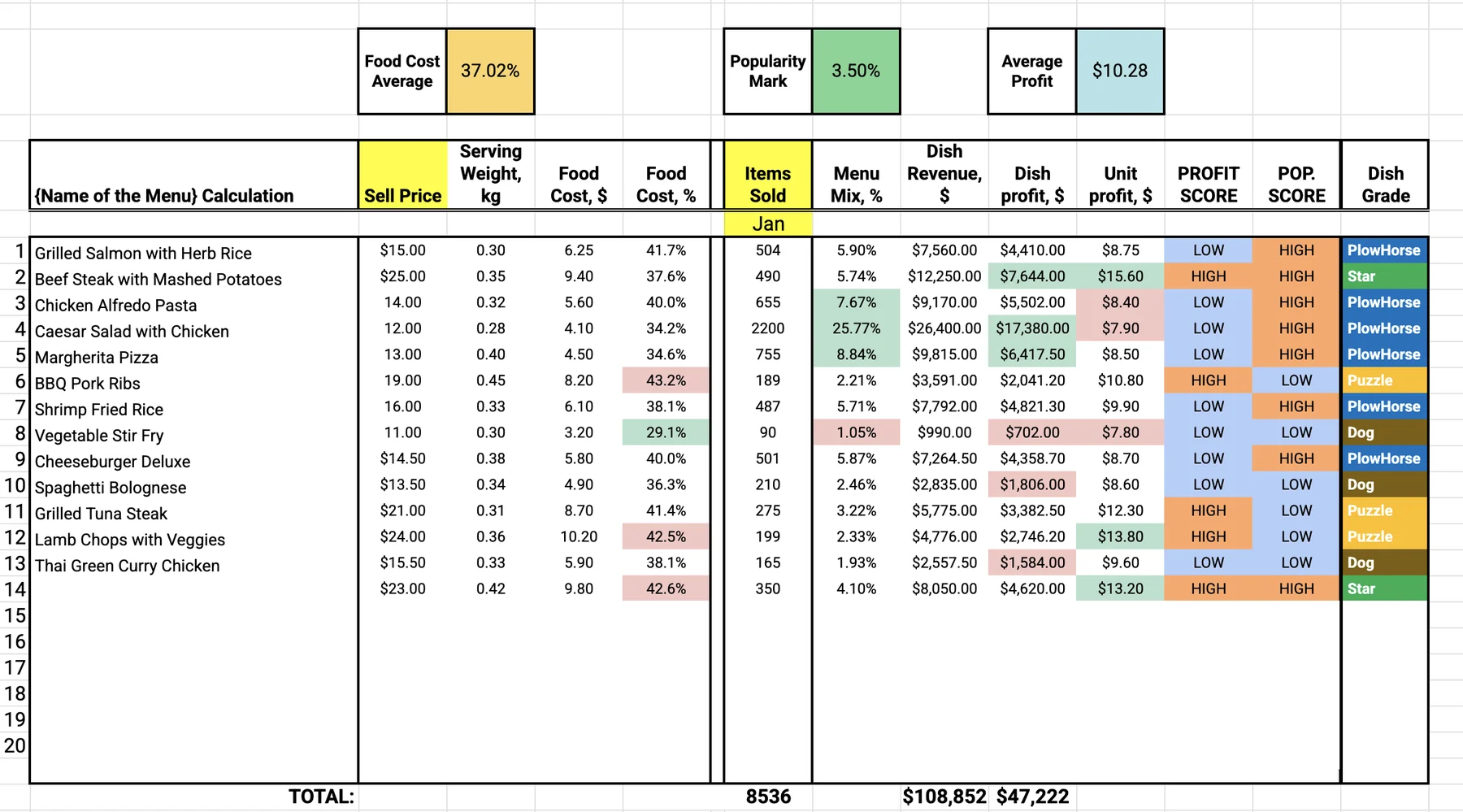
Yes. Add your dishes to a menu and the app builds a menu engineering Google Sheet with food cost %, menu mix and profit per dish, and grades each dish Star, Plowhorse, Puzzle or Dog. A menu sheet uses 5 credits; menus hold up to 10 dishes on Professional and 20 on Guru.

How does the restaurant business plan generator work?

Pick a format (food truck, café, restaurant, bakery, ghost kitchen or catering), add up to 12 dishes, your crew, monthly costs and equipment. The app builds a Google Sheet with live formulas: P&L, break-even, payback, a 12-month cash flow, menu engineering, cost cards, a purchase list and startup costs. A plan uses 50 credits on a paid Professional or Guru plan, and regenerating it is free. See the business plan generator.

Is there an Android version?

Yes. FoodTechGuru is on Google Play for Android phones and on the App Store or Google Play for iPhone and Android.

Stop calculating. Start creating.

FoodTechGuru gives you back your most valuable resource: time. Free your team from the endless cycle of manual data entry and spreadsheet errors. Focus on what truly matters, innovation, quality and creating amazing food, while we handle the numbers.

Download on the App Store Get it on Google PlayWeb App
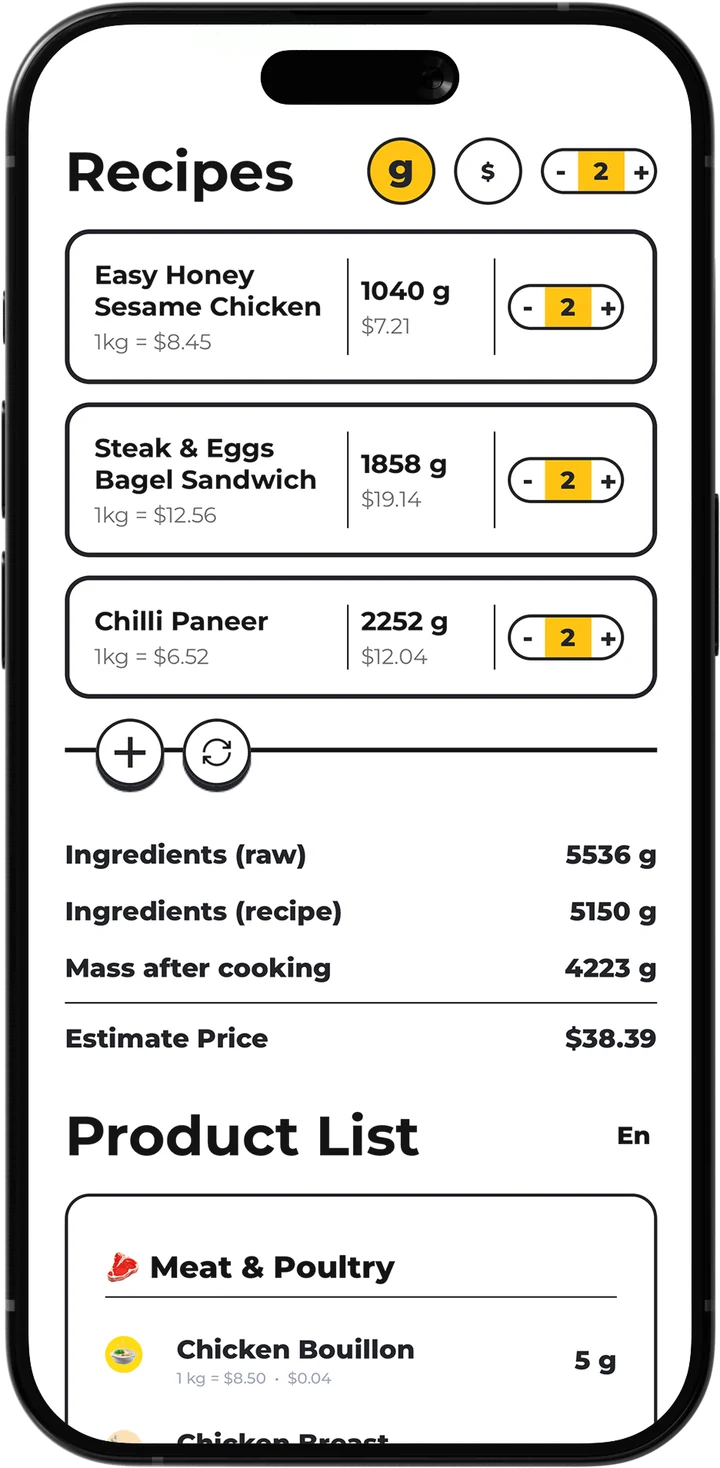
Recipes screen with three recipes, total ingredient weights, estimated price and the product list by category