
Menu Costing Template (Free Spreadsheet)
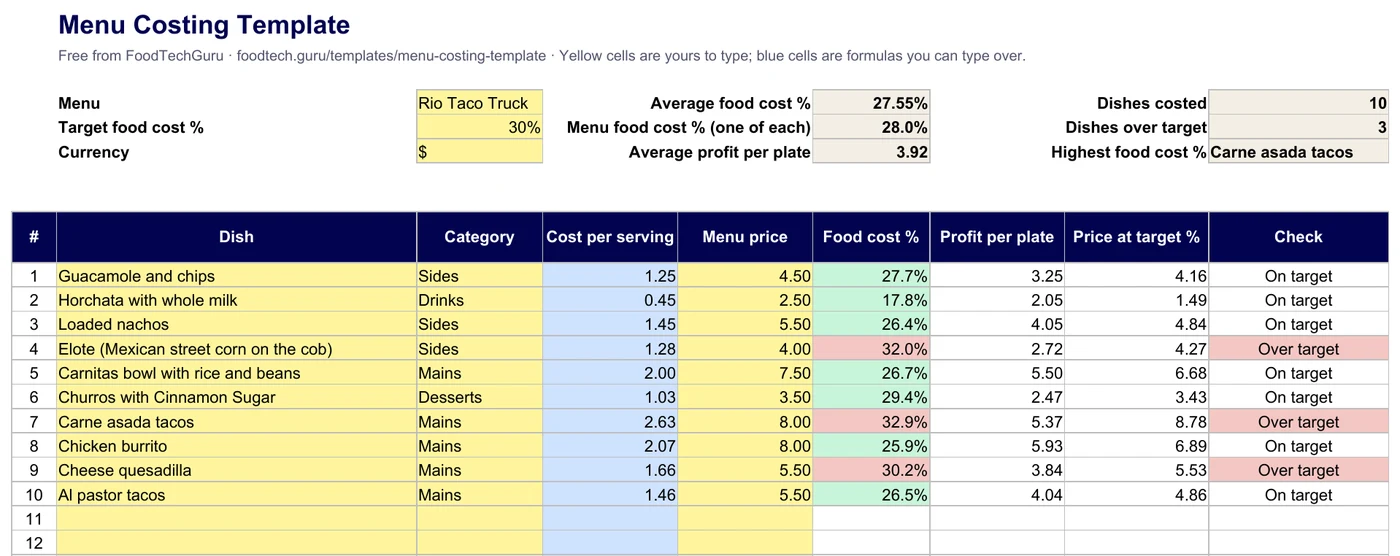
This menu costing template costs your whole menu in one sheet: cost per serving, menu price, food cost % and profit per plate for every dish, with totals and the average. It opens with a real ten-dish taco truck menu, costed ingredient by ingredient, so you can see every formula working before you type your own.
Free, no signup, no email. Works in Excel, Google Sheets (File → Import), Numbers and LibreOffice.
What's in the template
- Cost per servingWhat one plate costs in ingredients. It fills in from the Dish Costs tab, or type your own.
- Menu priceWhat you charge, before sales tax.
- Food cost %Cost per serving ÷ menu price. Green at or under your target, red above it.
- Profit per plateMenu price − cost per serving.
- Price at targetCost per serving ÷ target %: what the dish should sell for.
- Totals and averageOne of each dish, the average per dish, dishes over target and the costliest dish.
The Dish Costs tab has one line per ingredient for one serving: amount, price per kg (or per litre, or each) and prep loss. The example holds all 68 ingredient lines of the ten dishes, so the costs match the app's sheet to the cent.
Need a different sheet? One recipe in full detail, with yield and nutrition: the recipe costing template. Grading dishes by what sells: the menu engineering worksheet. Your actual food cost week by week: the food cost template.
Cost your menu here
The same maths as the spreadsheet, in your browser. Change a price and watch the food cost % and the checks move.
| Dish | Cost / serving | Menu price | Food cost % | Profit / plate | Price at target | Check | Remove |
|---|
How to fill it in
- Set your target food cost % at the top (it starts at 30%).
- List your dishes and menu prices in the yellow cells, up to 30.
- Add each dish's ingredients on Dish Costs, for one serving. Keep the amount and the price in the same unit.
- Read the checks. A red dish is over target; its price at target shows what it should sell for.
- Re-check when a supplier changes a price: update the price per unit and every dish using it follows.
Skip the typing
Let the app build the menu sheet
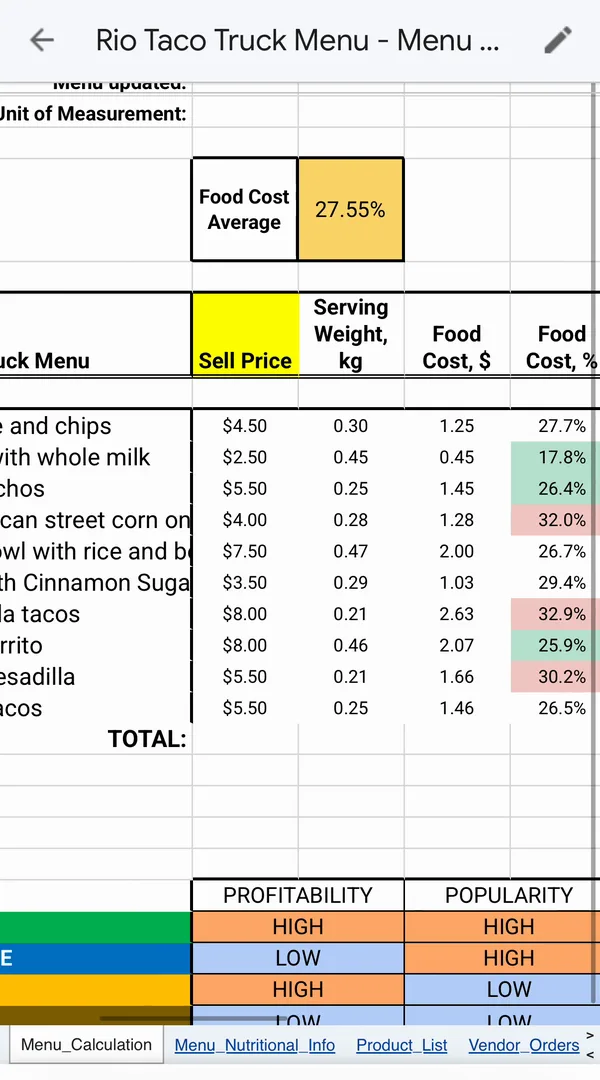
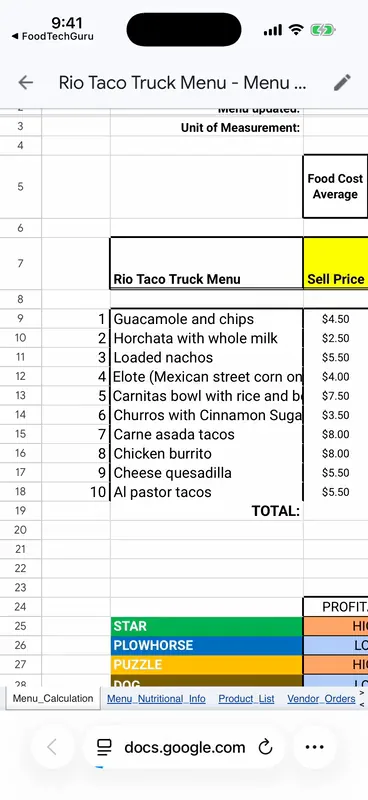
Snap a photo of each recipe, paste a link, or dictate it. FoodTechGuru costs every dish with ingredient prices for your country, then builds the menu as a Google Sheet: sell price, food cost and food cost % per dish, with the average at the top.
- Free download; each recipe uses 1 credit
- The menu sheet uses 5 credits on a Pro or Guru plan
- On iPhone

Menu costing template FAQ
Is the menu costing template free?
Yes. Download the .xlsx; there is no signup and no email. It opens in Excel, Google Sheets, Numbers and LibreOffice.
What is the difference between menu costing and menu engineering?
Menu costing works out what every dish costs and earns at its price. Menu engineering adds how many of each dish you sold and grades each one Star, Plowhorse, Puzzle or Dog. Cost the menu first; engineer it once you have sales.
Why are there two food cost % figures?
The average is the simple average of every dish's food cost %. The one-of-each figure divides the total cost of one of every dish by the total of their prices, so pricier dishes count for more. In the example they are 27.55% and 28.0%.
What target food cost % should I use?
Many food trucks and restaurants aim for about 25 to 35%. The template starts at 30%; change it and every check and target price updates. For one dish at a time, use the menu price calculator.
Can I use Google Sheets?
Yes. In Google Sheets choose File → Import → Upload and pick the .xlsx. The formulas and colours come with it.
Can an app cost my menu for me?
Yes. FoodTechGuru for iPhone costs each recipe from a photo, link or voice note (1 credit per recipe) and builds a menu Google Sheet with every dish's sell price, food cost and food cost %. The menu sheet uses 5 credits on a Pro or Guru plan.
New free templates, by email
Optional. Leave your email and we'll let you know when we add a new free template or costing tip.
Thanks, you're on the list.
Cost your whole menu in one sheet
Excel or Google Sheets. Free, with a real menu already filled in.
Download the template (.xlsx)